by The WordPress Guy | Feb 27, 2024 | Blog, developers, Plugins
There are many WordPress plugins available, and it can be difficult to know which ones are the best. These are my favourite WordPress plugins at the moment. Best WordPress Speed plugin WP Rocket (20% OFF WITH THIS LINK) – Smart, works with lots of different...

by The WordPress Guy | Jun 11, 2023 | Blog, Events
The Digital Marketing Collective Conference: A Unique Business Event. Digitial Marketing Conference Sydney. The Digital Marketing Collective Conference, organized by Kate Toon, is a one-of-a-kind business event in Australia. It offers a fresh and distinctive approach...

by The WordPress Guy | Sep 16, 2021 | Blog, How to
Website audits/website health checks are important for website owners. The website owner will be able to know what is going well on the website and what needs improvement. This post will talk about why website audits are important, as well as how they can help improve...

by The WordPress Guy | Sep 2, 2021 | Blog, web hosting
Some suggestions for people looking for web hosting for New Zealand. These would also work equally well for Australian website too. I would normally have SiteGround in a list of web hosting options as they are excellent web hosts these days but unfortunately do not...
by The WordPress Guy | Aug 1, 2021 | Blog, ecommerce, How to, WooCommerce
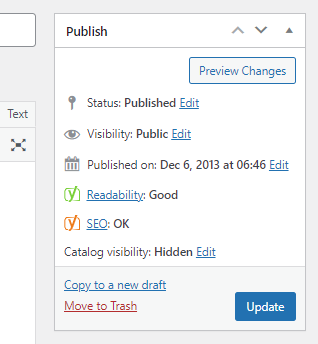
Just a really quick WordPress WooCommerce tip if a product is not visible in its product category page. I had a client that had a product that was in stock but not showing in the product category it was meant to show up in. As it turned out, they were hiding products...
by The WordPress Guy | Jul 22, 2021 | Blog, How to
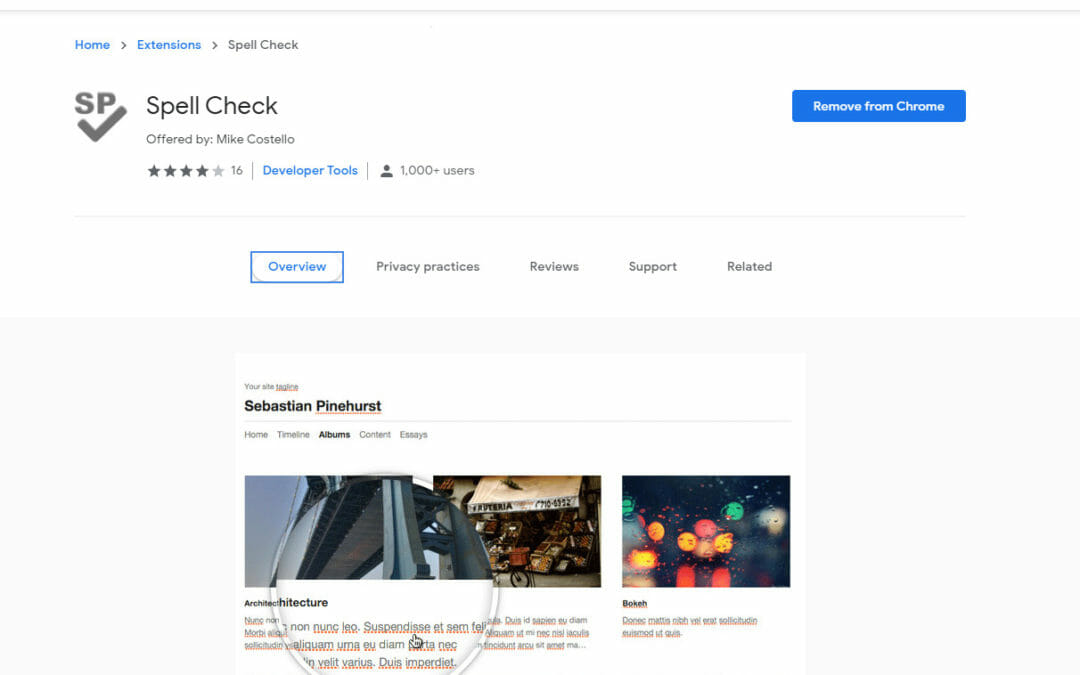
A very easy way to check the spelling on your webpages or client webpages with the click of an icon. All you need to do is install the Google Chrome extension Spell Check and you just click on the icon and it highlights the spelling mistakes. So easy and fast. I will...